
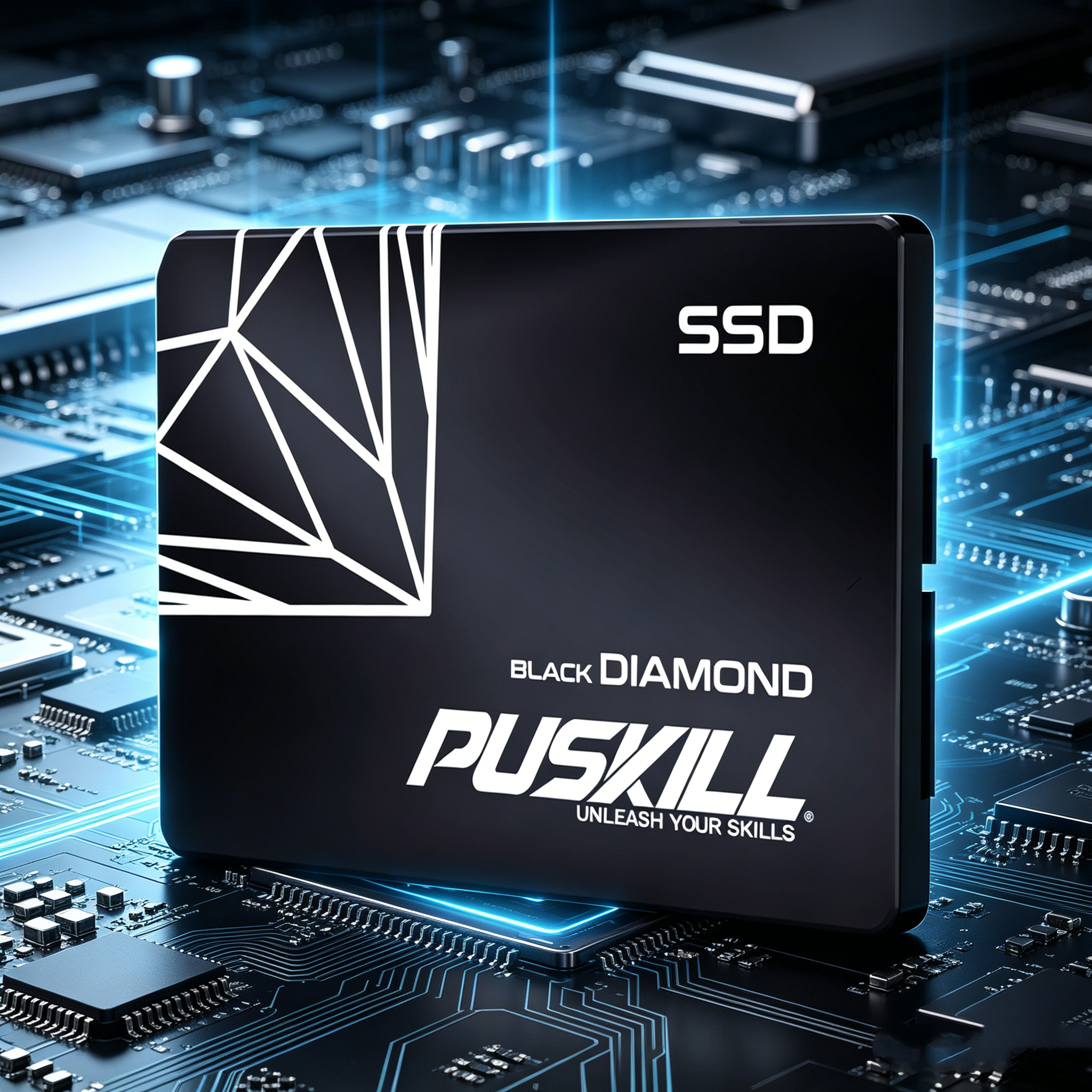
The Core Solution: Replacing Mechanical Bottlenecks to Revitalize Daily Computing
To put it plainly, spinning mechanical hard disk drives (HDDs) remain the biggest performance bottleneck in older desktop and laptop systems. Traditional hard drives rely on moving magnetic platters and mechanical read-write heads that create severe latency during simple boot cycles.
Global storage market shifts reveal a massive spike in enterprise and consumer storage component prices, driven largely by intense AI data demands. Because high-end PCIe Gen 5 NVMe drives carry steep price tags, budget-conscious users need cost-effective upgrade solutions.
Installing a high-quality SATA3 SSD 2.5 inch drive instantly breathes new life into aging computer hardware. Choosing a reliable 2.5 inch SATA solid state drive provides a dramatic boost in read and write speeds without forcing you to buy an expensive new computer.
Now, let us examine how solid-state architecture eliminates mechanical lag and accelerates daily workloads.
Slashing Boot Times and Speeding Up Daily App Launch Cycles
Eliminating Mechanical Latency with NAND Flash Memory
Mechanical hard drives require physical time to spin up platters and position read heads over specific data sectors. This mechanical delay creates sluggish system responsiveness, slow application launches, and long operating system startup times.
Deploying a modern SATA3 SSD 2.5 inch drive replaces mechanical platters with high-speed NAND flash memory chips. Electric signals travel through silicon circuits instantly, reducing read access latency from 15 milliseconds down to under 0.1 milliseconds.
This structural shift transforms your daily computing experience. Your operating system boots up in seconds, large software applications launch smoothly, and web browsers open multiple tabs without freezing.
Accelerating Heavy File Transfers with 6 Gbps Interface Speeds
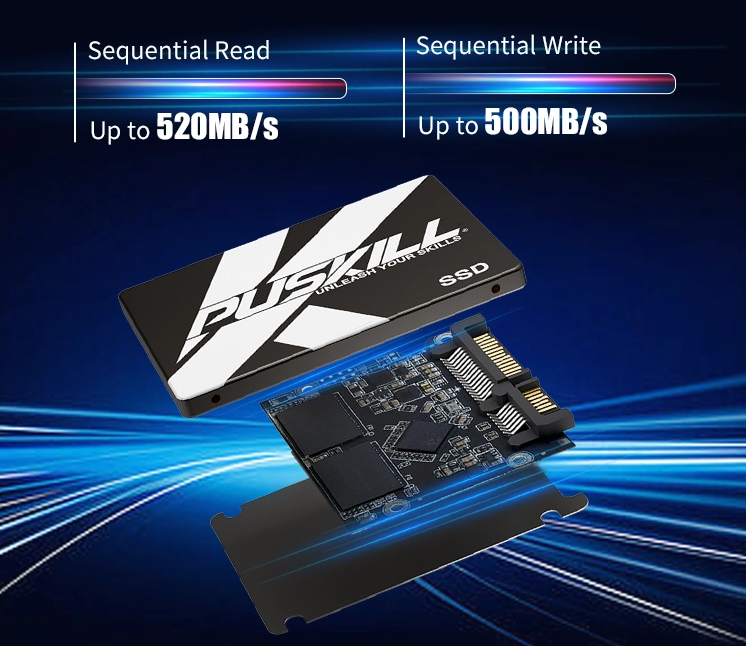
The SATA 3.0 protocol delivers a maximum theoretical bus bandwidth of 6 Gigabits per second (Gbps). While older HDDs barely achieve 100 Megabytes per second (MB/s) transfer rates, solid-state drives saturate the SATA interface at speeds around 550 MB/s.
Selecting a fast data access storage drive accelerates large file moves, raw photo editing, and high-definition video playback. Your computer processes heavy background tasks quietly while maintaining smooth system responsiveness for active applications.
Technical Performance Matrix: HDD vs. SATA3 SSD vs. NVMe SSD
Choosing the right storage upgrade requires matching your motherboard compatibility with your budget requirements. Review this practical comparison table to evaluate your hardware upgrade options.
| Drive Category Metric | Traditional 3.5″ / 2.5″ Mechanical HDD | SATA3 SSD 2.5 Inch Drive | PCIe Gen4 / Gen5 NVMe M.2 SSD |
| Sequential Read Speed | 80 to 160 MB/s | 520 to 560 MB/s | 5,000 to 12,000+ MB/s |
| Sequential Write Speed | 70 to 140 MB/s | 480 to 530 MB/s | 4,000 to 10,000+ MB/s |
| Random 4K IOPS Read | ~100 to 200 IOPS | Up to 95,000 IOPS | Up to 1,000,000+ IOPS |
| Physical Shock Resistance | Low (Moving Parts Break Easily) | High (Solid-State Shockproof) | High (Solid-State Shockproof) |
| Legacy Port Compatibility | Universal SATA / IDE Cables | Universal 2.5″ SATA III Bays | Requires Dedicated M.2 PCIe Slot |
Maximizing System Reliability, Power Efficiency, and Hardware Lifespan
Protecting Critical Data with Durable Solid-State Components
Physical drops and accidental bumps pose severe risks to spinning mechanical hard drives. A sudden shock can cause the read-write head to crash directly into the spinning platter, destroying critical personal photos or work files instantly.
Because solid-state drives contain zero moving parts, they handle daily physical shocks, vibrations, and temperature changes effortlessly. You carry your laptop or portable storage drive confidently without fearing unexpected physical drive crashes.
Lowering Power Consumption and Extending Laptop Battery Life
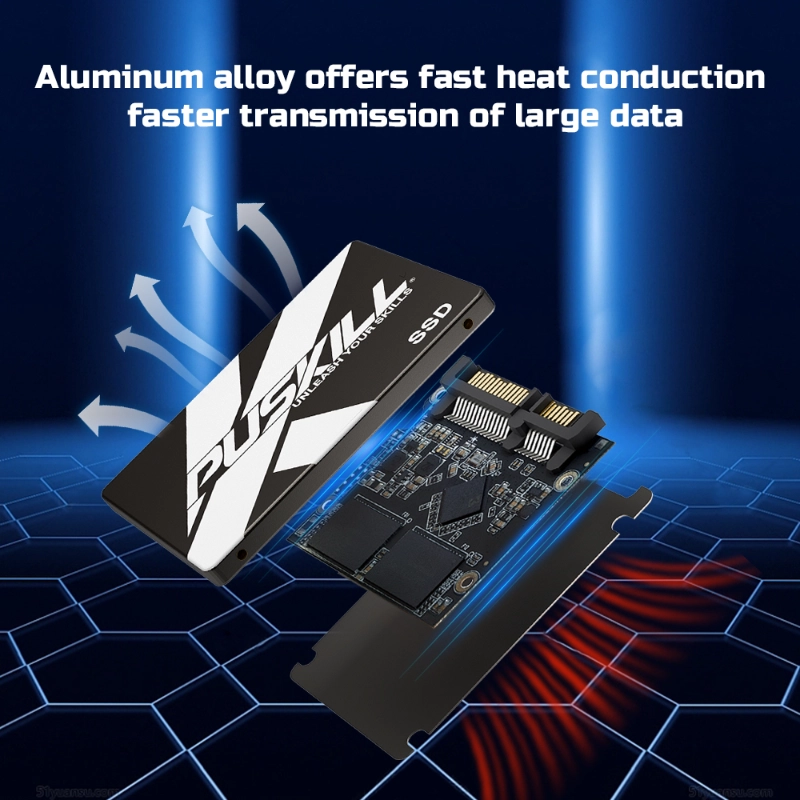
Spinning magnetic platters continuously requires significant electric current, generating unwanted internal heat inside compact laptop chassis. This extra heat forces internal cooling fans to run constantly, draining your laptop battery rapidly.
Upgrading to a budget internal SSD upgrade slashes active drive power consumption by up to 60 percent. Your laptop runs cooler, operates quietly, and delivers longer battery life during mobile work trips.
-
- Universal 2.5-Inch Form Factor: Fits seamlessly into existing 7mm and 9.5mm laptop drive bays and desktop enclosures.
- Low Idle Power Modes: Conserves battery energy automatically when the operating system sits idle.
- Integrated Wear Leveling: Distributes write cycles evenly across flash cells to extend overall drive lifespan.
- S.M.A.R.T. Health Monitoring: Reports real-time temperature and drive health metrics to prevent sudden data loss.
Extending Old Computer Utility without Expensive Hardware Replacements
The Smarter Financial Choice to Upgrade Legacy PC Performance
Purchasing brand-new computers for an entire home office or business enterprise demands significant capital expenditure. Throwing away functional computers simply because of a slow mechanical hard drive wastes financial resources.
Executing a strategic plan to upgrade legacy PC performance delivers up to 5x faster data responsiveness at a small fraction of the cost of a new PC. You retain your existing operating system licenses, software settings, and workspace preferences completely.
Simplifying OS Cloning and Physical Installation Workflows
Installing a 2.5-inch solid-state drive is an accessible, straightforward DIY project for users of all skill levels. Standard SATA power and data cables connect directly to the drive ports without requiring special motherboard adapters or complex software drivers.
Free disk cloning tools allow you to mirror your existing mechanical drive’s contents directly onto your new SSD within an hour. You turn on your computer, launch your cloned drive, and enjoy instant high-speed performance immediately.
Upgrade Your Storage Speed with SATA3 2.5 Inch SSDs
Reviewing our complete hardware performance analysis reveals that solid-state upgrades remain the smartest performance fix for older computers. Replacing slow mechanical hard drives eliminates the painful latency and boot delays that ruin daily computing productivity.
By installing a high-quality SATA3 SSD 2.5 inch drive, you take total control over your system speed. Equipping your computer with a reliable 2.5 inch SATA solid state drive delivers fast data access, quiet operation, and rugged durability. Invest in a solid-state storage drive today to unlock the true speed potential of your PC.


Add comment