The motherboard comes with Dual lnline Memory Modules (DlMM) slots designed for DDR5 (Double Data Rate 5) memory modules.

Return to previous page
D5 Laptop
Installation Video
Installation Tutorial
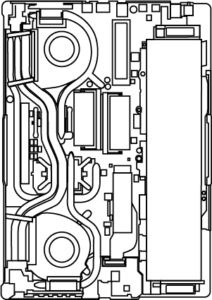
DIMM slots

Recommended memory configurations
DIMM_A1
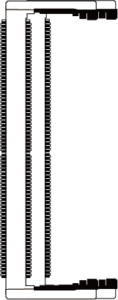
DIMM_A2
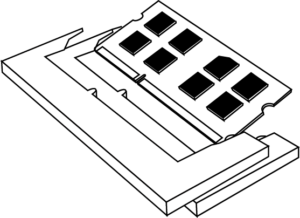
DIMM_A1
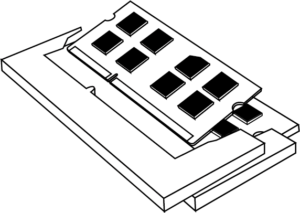
DIMM_A2 DIMM_A1
Laptop memory installation
Note: Do not apply pressure on the integrated circuit (lc) or the memory modules on or around it, and do notouch the integrated circuit or the memory modules around it! When handling memory, you must hold the top corners of the printed circuit board (PCB) with both hands.
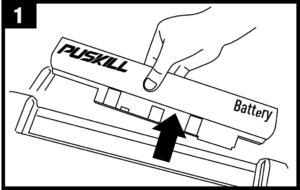
Remove the battery from the back of the laptop,and open the back cover.
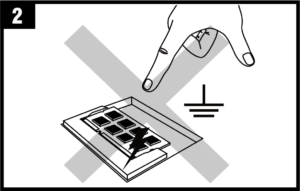
Before picking up the DlMM memory module,you must touch an unpainted, grounded metal object or use a grounded anti-static wrist strap to prevent electrostatic discharge (ESD).
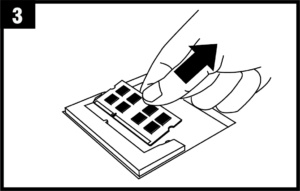
If necessary, press the retention/ejector clipsto remove the existing DlMM module. The clipsare located at both ends of the memory slot.
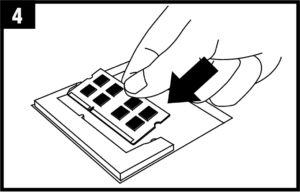
Align the key notch on the memory module with the key in the memory slot to ensure proper installation.
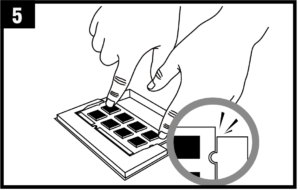
Insert the memory into the slot until the clips snap into the correct position and secure the memory module.
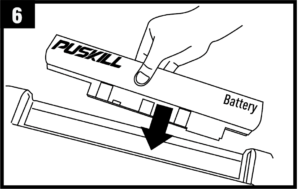
After installation is complete, replace the back cover and insert the battery into the laptop.Once everything is installed, start the computer to experience higher performance.
Need help?
